


Book couriers from your orders, not the courier's portal
Eekaam's courier integration books your BlueEx parcels straight from the order, prints the label, records the tracking number and follows the delivery, so nobody copies addresses into a courier portal again.
- BlueEx booking & tracking
- Routing rules
- Tracking sent on WhatsApp
- Cash on delivery ready
Courier booking in short
- Connect your BlueEx account and book a parcel from the order: the consignment number and a printable label appear on the shipment.
- Routing rules choose the courier by city, payment type, weight or order value, with a default courier for everything else.
- Track each parcel from the Shipments list, including deliveries, failures and parcels returning to you.
- PostEx, Leopards, TCS, Trax and M&P accounts can be saved now; their booking arrives when those connectors are finished.
By Muhammad Hammad Sohail, Founder & CEO of Eekaam · Updated
The problem
Booking parcels by hand doesn't scale.
Most Pakistani stores ship cash-on-delivery orders every day. Copying each one into a courier portal is where time and mistakes pile up.
Copy-paste addresses
Every order's name, phone, address and COD amount is retyped into the courier's site, and a typo means a failed delivery.
Tracking numbers lost in chats
Customers ask where their parcel is, and the tracking number sits in a spreadsheet or a portal tab.
No single view of deliveries
Which parcels are moving, delivered or coming back is spread across courier portals.
Picking the courier each time
One courier is cheaper in Karachi, another reaches small towns. Choosing by hand for every order is slow.
How Eekaam helps
What the courier integration does.
Book from the order
Press Book on a shipment, check weight, pieces and the cash to collect, and create the consignment note with BlueEx.
Labels and CN numbers
The consignment number and a printable label appear on the shipment, and the order is marked fulfilled with the tracking number recorded.
Routing rules
Pick a courier by city, COD or prepaid, weight and order value. The first matching rule wins, and the default courier covers the rest.
Track every parcel
Filter shipments by awaiting booking, moving, delivered or failed and returning, and search by order, customer, phone or CN.
Tracking on WhatsApp
With WhatsApp order confirmation sending shipping updates, the customer gets the courier, tracking number and amount to keep ready.
Book automatically with Flow
A Flow workflow can book the courier as soon as a COD order is confirmed on WhatsApp.
Set up
From install to first booked parcel.
- 1
Install Courier integration
Open Apps, install Courier integration, and add your BlueEx username and password under Courier accounts.
- 2
Add pickup details
Business name, pickup person, phone, email, city and address are sent with every booking. Mark a default courier.
- 3
Add routing rules if you need them
For example, one courier inside Karachi and another everywhere else.
- 4
Book and track
New orders appear under Shipments as awaiting booking. Nothing is booked until you press Book.
Real stores, live today
Pakistani stores shipping COD orders on Eekaam.
Open a store and place a test order to see the checkout your customers use.

Healora
Health & wellness
Herbal pain-relief balm and oil plus hair and skin care, with product landing pages and COD checkout.

BabySheen
Baby & newborn gift boxes
Newborn gift-box bundles in three sizes, with cash on delivery and an email welcome offer.

Trezo Store
Jewellery & stationery surprise boxes
Mystery "scoop" boxes of jewellery and stationery, with order tracking for shoppers.
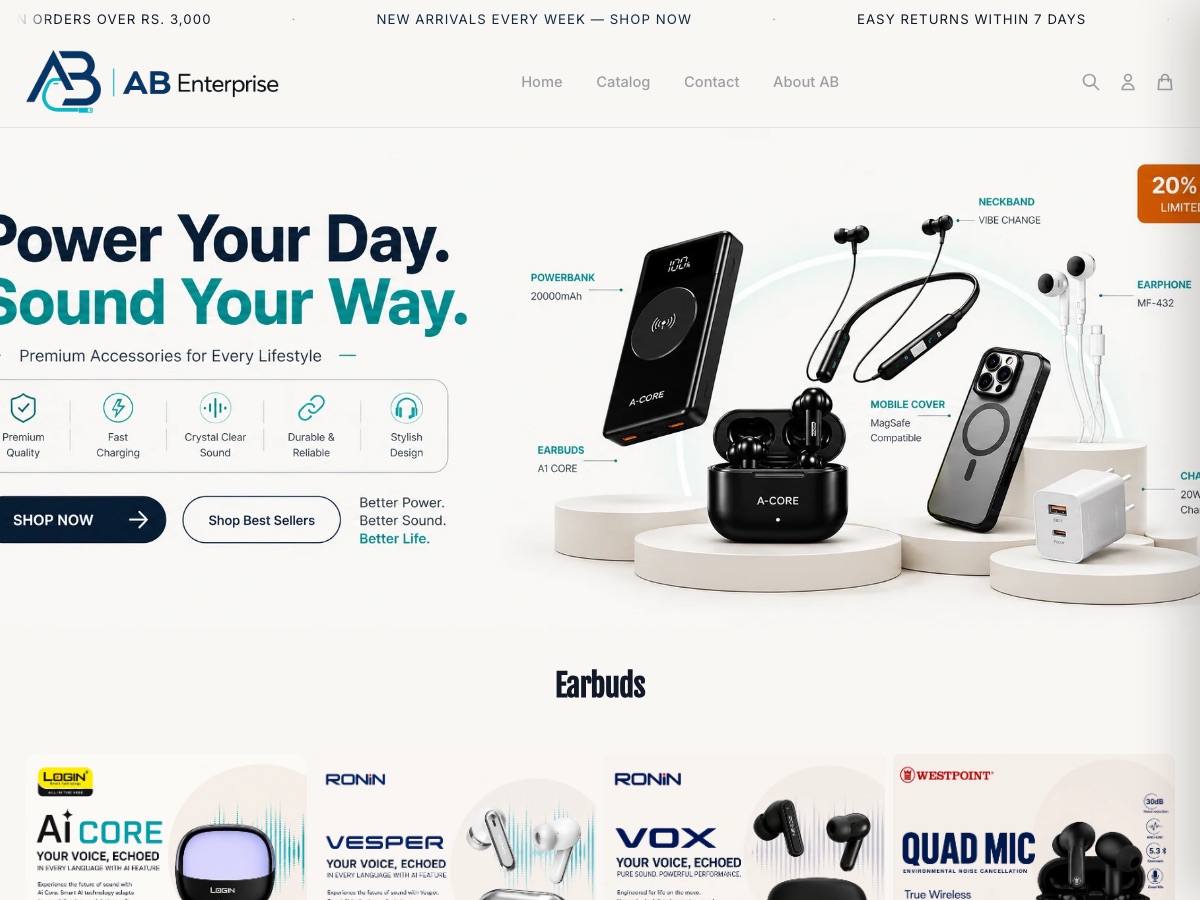
AB Enterprise
Mobile accessories & audio
Earbuds, power banks, chargers and phone accessories across a large multi-brand catalogue.
Honest answers
Before you switch your shipping workflow
I use TCS, Leopards or PostEx, not BlueEx
You can save PostEx, Leopards, TCS, Trax and M&P accounts now, but booking from Eekaam is live for BlueEx only today. Until the others are connected, book with them as usual and add the tracking number to the order with Fulfill order.
Will it book orders without me?
No. Eekaam never books an order by itself. You press Book, or you build a Flow workflow that books, for example, every COD order confirmed on WhatsApp.
Ship your next order without opening a courier portal.
Start a 3-day free trial, connect BlueEx and book your first parcel from the order.
Want help setting up couriers and shipping rates? Our team can set up your store for you.
FAQ
Courier booking: questions, answered.
Keep exploring