


Shopify migration service in Pakistan
Move your Shopify store to Eekaam with help from our team. We can review your exports, set up the new storefront and checkout, map changed URLs and plan the domain switch.
- Shopify CSV imports
- Theme setup
- URL review
- Cutover plan
The migration risk
A safe move is more than importing products.
A useful migration plan accounts for what a CSV can move and what must be rebuilt or checked by hand.
Data quality
Variants, images, stock and customer records need inspection after import.
Theme differences
A Shopify theme does not transfer as a finished Eekaam storefront; design needs rebuilding or adapting.
Checkout changes
Payment providers, COD and shipping settings need to be configured and tested again.
Search and links
Important URLs, redirects and the domain cutover need a deliberate review.
How Eekaam helps
What migration help covers.
We review the work with you and agree on a scope based on your current store and the Eekaam features you need.
Shopify export review
Work from Shopify-format product, customer and order CSVs, then check records after import.
Storefront rebuild
Set up an Eekaam theme and recreate the key navigation, branding and content your buyers use.
Local checkout
Configure available payment methods and COD with the merchant accounts you have approved.
Delivery setup
Review shipping charges, fulfilment process and customer-facing delivery information.
URL and domain review
Check product and collection handles, map changed pages to redirects and plan DNS changes.
Cutover checklist
Test sample orders and important links before pointing customers to the new store.
Migration plan
Move in a controlled sequence.
- 1
Audit the current store
List products, variants, content, apps, key URLs, payment methods and domain access.
- 2
Import and inspect data
Export Shopify CSVs, import supported records and spot-check product images, prices, variants and order history.
- 3
Rebuild the buying path
Prepare the Eekaam theme, navigation, payment settings, shipping and policy pages.
- 4
Map links and test
Check important URLs, add redirects where needed and place test orders on desktop and mobile.
- 5
Switch the domain
Keep the current store available while preparing, then update DNS when the replacement is ready and monitor orders after cutover.
Real stores, live today
Examples of stores on Eekaam.
Explore the platform's storefronts. These examples do not imply they migrated from Shopify.

AB Enterprise
Mobile accessories & audio
Earbuds, power banks, chargers and phone accessories across a large multi-brand catalogue.
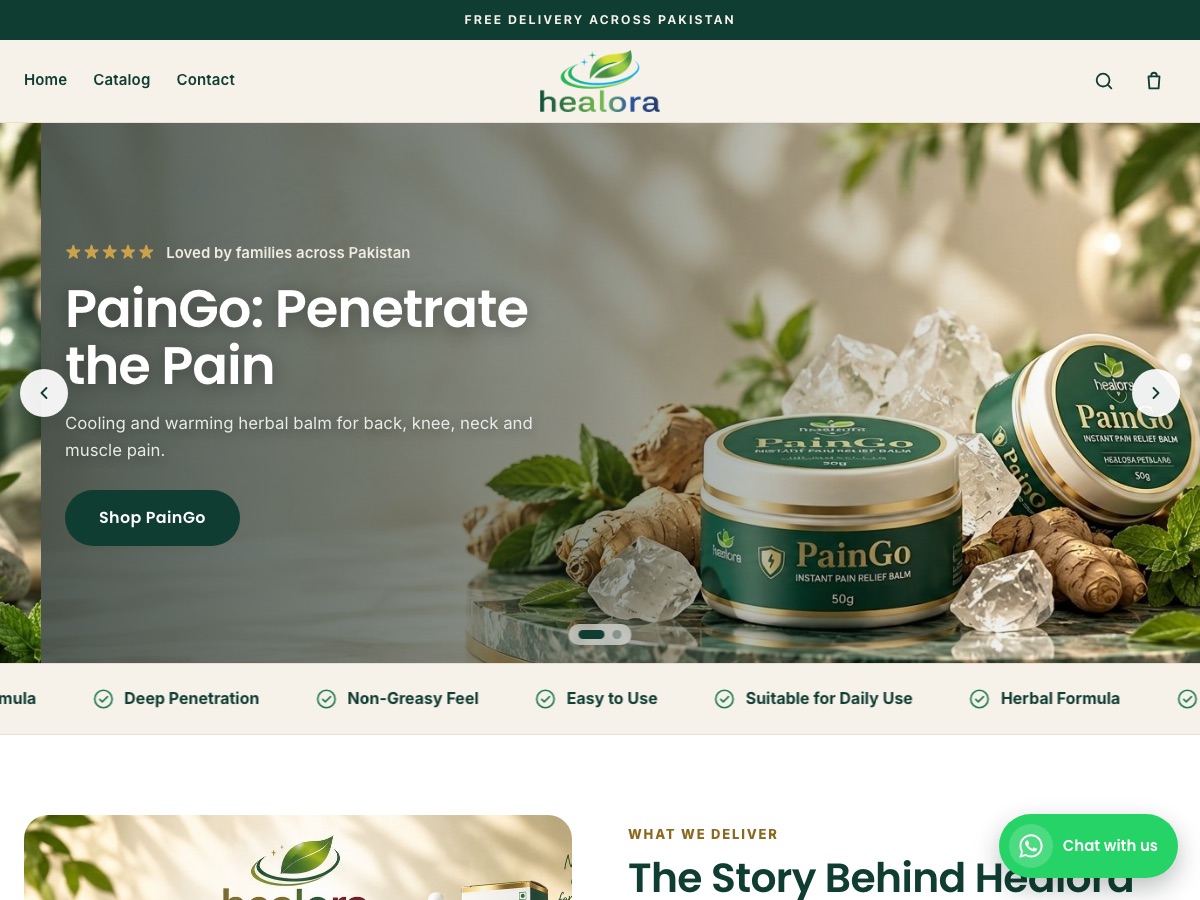
Healora
Health & wellness
Herbal pain-relief balm and oil plus hair and skin care, with product landing pages and COD checkout.
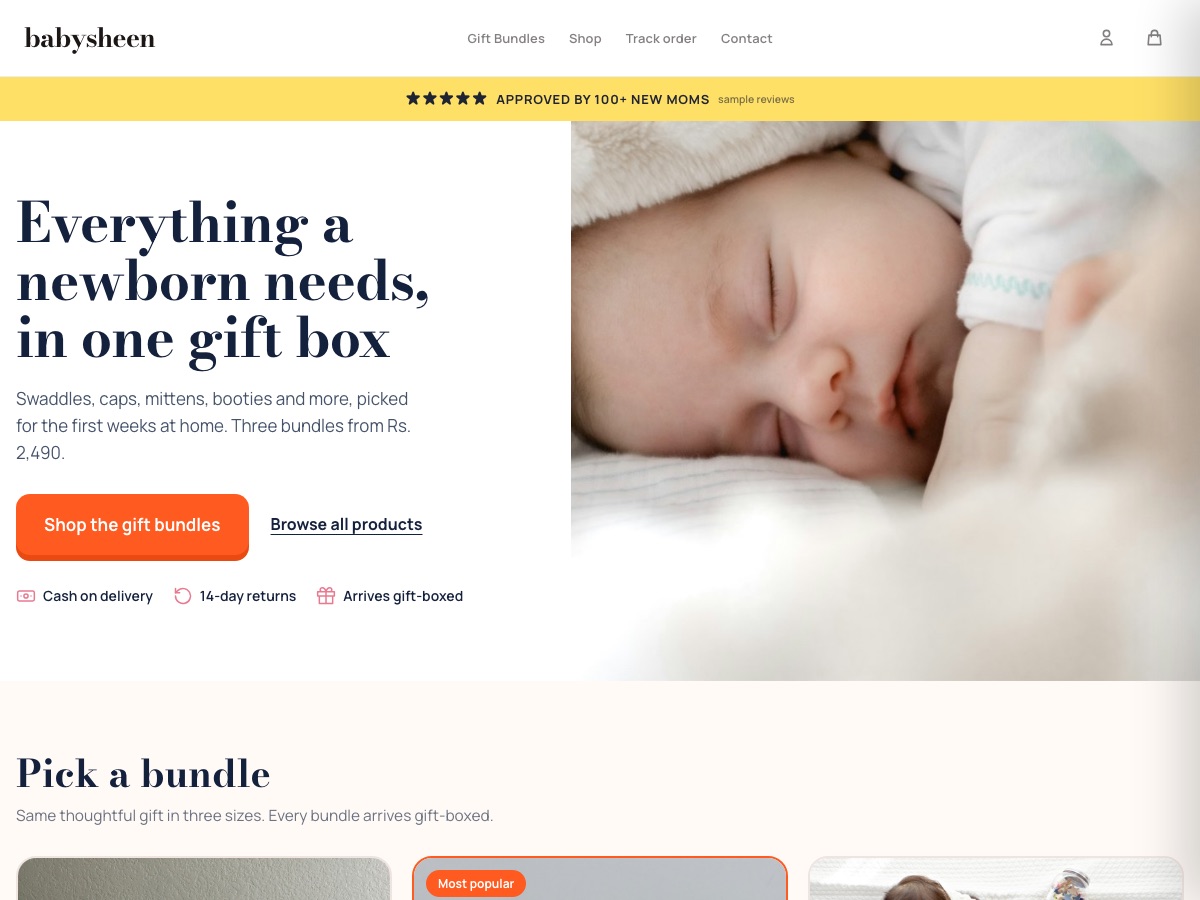
BabySheen
Baby & newborn gift boxes
Newborn gift-box bundles in three sizes, with cash on delivery and an email welcome offer.

Trezo Store
Jewellery & stationery surprise boxes
Mystery "scoop" boxes of jewellery and stationery, with order tracking for shoppers.
Honest answers
Know the boundaries before moving.
Will my Shopify theme transfer automatically?
No. Choose an Eekaam theme and recreate the design, or discuss custom adaptation. Include the theme work in the agreed migration scope.
Will every URL stay the same?
Product and collection paths can be retained when their handles match. Audit other pages and set redirects for addresses that change. Search performance cannot be guaranteed.
Should I close Shopify before the new store is ready?
Keep the old storefront available while importing and testing. Plan the final domain switch only after the new checkout and important links have been checked.
Plan your move with the team.
Tell us your product count, current apps, theme needs and domain. We will review the migration scope with you.
You can also follow the step-by-step migration guide yourself.
FAQ