


How to Move Your Store from Shopify to Eekaam
Eekaam reads Shopify's own export files, so your products, customers and past orders come across as they are, and your product and collection links keep the same addresses.
- Shopify CSVs import directly
- Same product URLs
- No downtime
- Help from our team
Why sellers move
Why Pakistani sellers leave Shopify.
USD bills every month
The plan and most apps are billed in dollars on an international card.
Apps for local basics
COD confirmation, JazzCash, Easypaisa and Urdu order forms all need separate apps.
Support outside your context
Global support doesn't know what a courier COD remittance is.
Fear of losing rankings
Most sellers stay because moving feels risky. With the same URLs and redirects, it doesn't have to be.
How Eekaam helps
What makes the move easier.
Shopify CSV format
Product, customer and order imports read Shopify's export columns directly.
Same product and collection URLs
/products/your-handle and /collections/your-handle stay the same, so links and rankings carry over.
Redirects
Point any other old address to its new page.
PKR billing
Plans from Rs 1,960/month with 0% transaction fee, billed in rupees.
COD tools built in
WhatsApp confirmation and a COD order form, without app subscriptions.
Migration help
Our team helps with the import, theme and domain.
The move
Moving in eight steps.
Keep your Shopify store live until the last step, so customers never see a gap.
- 1
Export products from Shopify
In Shopify admin, Products → Export → all products, CSV for Excel or Numbers.
- 2
Import them into Eekaam
Products → Import. Handles, variants, prices, stock, images and SEO titles come across.
- 3
Export and import customers
Export customers from Shopify and import the CSV into Eekaam's Customers.
- 4
Bring past orders (optional)
Import Shopify's order export to keep order history; line items match products by SKU.
- 5
Pick and set up a theme
Choose an Eekaam theme and add your branding. Themes use Liquid, so a developer can adapt your design.
- 6
Replace your apps
Turn on built-in apps: reviews, offers, COD order form, WhatsApp confirmation, search and filters.
- 7
Connect payments and couriers
Add JazzCash, Easypaisa or other gateways, and your courier account.
- 8
Point your domain
Connect your domain in Eekaam and update DNS. Add redirects for any old pages whose address changed.
Real stores, live today
Stores running on Eekaam.

AB Enterprise
Mobile accessories & audio
Earbuds, power banks, chargers and phone accessories across a large multi-brand catalogue.
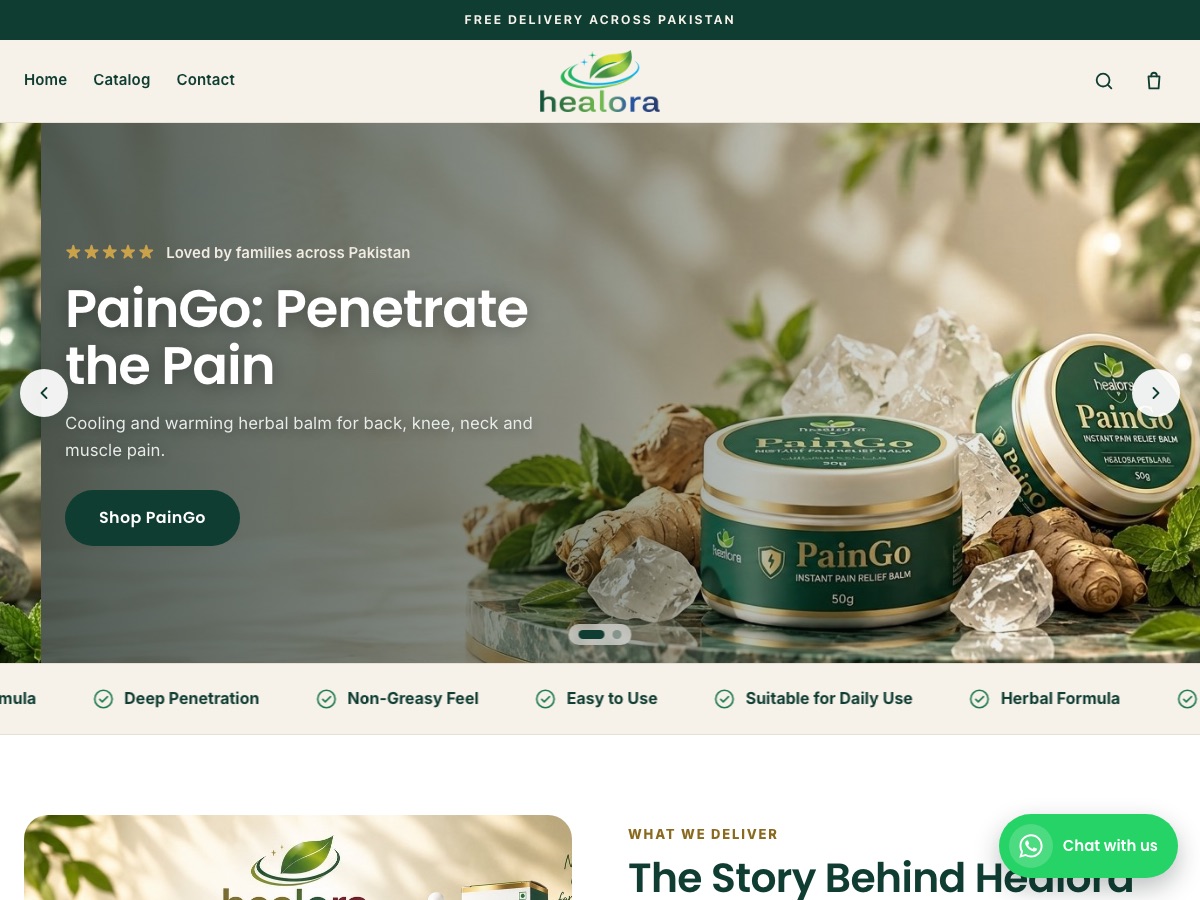
Healora
Health & wellness
Herbal pain-relief balm and oil plus hair and skin care, with product landing pages and COD checkout.
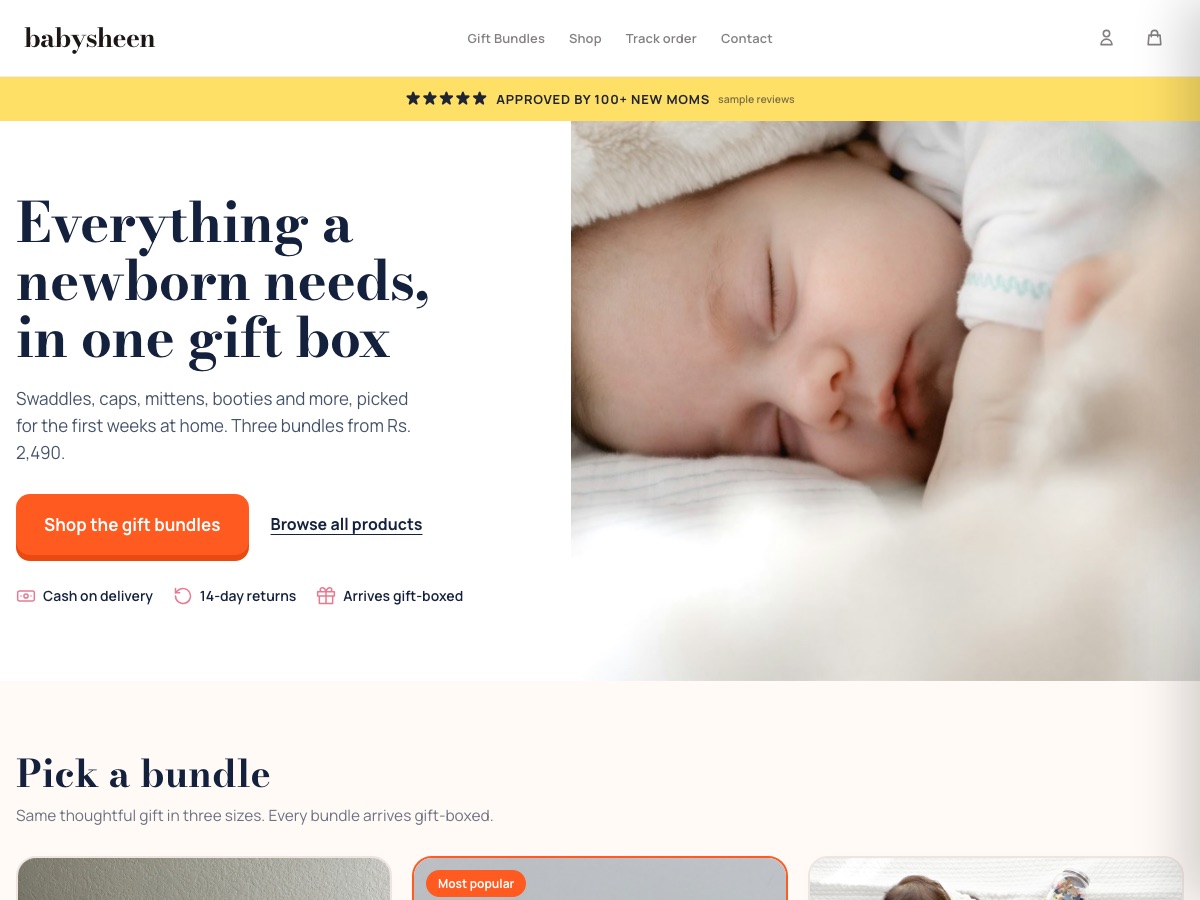
BabySheen
Baby & newborn gift boxes
Newborn gift-box bundles in three sizes, with cash on delivery and an email welcome offer.

Trezo Store
Jewellery & stationery surprise boxes
Mystery "scoop" boxes of jewellery and stationery, with order tracking for shoppers.
Honest answers
Before you move.
Will my Shopify theme work?
Not directly. Eekaam themes use Liquid like Shopify, so a developer can port your design, or you can start from an Eekaam theme.
Will I lose my Google rankings?
Product and collection URLs stay the same. Add redirects for blog posts or pages whose address changes, and resubmit your sitemap in Search Console.
What about my Shopify apps?
Many common ones have a built-in Eekaam equivalent: reviews, bundles, filters, email popups, cart recovery and automation. Check any app you rely on before moving.
Try the move with a free trial.
Import your Shopify products into a 14-day trial store and see them on Eekaam before you decide.
Want help? Our team assists with imports, themes and domains.
FAQ